A webhook turns an inbox from pull to push: every message that lands on a handle is delivered to an HTTPS endpoint you choose. Webhooks are a paid feature (pricing) and are managed by the org owner, one endpoint per handle.
When you add a webhook you pick a format:
| Format | Where it POSTs | Signed? | Use when |
|---|---|---|---|
discord |
A Discord channel webhook URL | No | You just want to see mail land — paste the URL, done |
slack |
A Slack incoming-webhook URL | No | Same, for Slack |
raw |
Any HTTPS endpoint you control | Yes | You’re building an integration and want to verify authenticity |
Discord and Slack need zero code: create the webhook in the chat app, paste its URL, and MailMatter reshapes each message into the native payload. No secret is involved because those platforms can’t verify signatures.
1. Create the endpoint
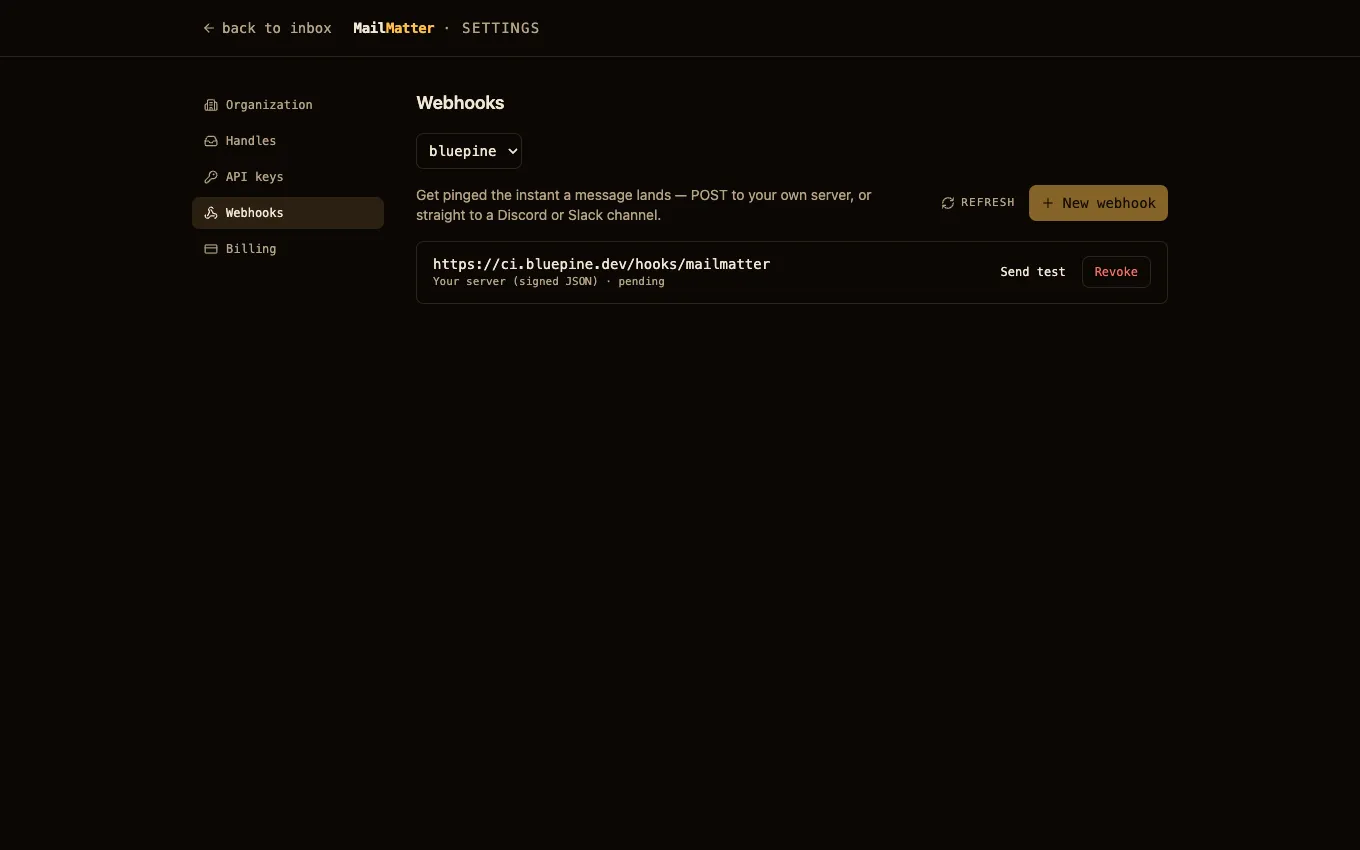
Open Settings → Webhooks as the org owner, pick the handle, press New webhook, and paste the destination URL. Webhooks are configured in the dashboard rather than over the API — see Managed in the dashboard.
For the raw format the screen shows a signing secret (whsec_…) exactly
once. Store it now — it’s the only way to verify deliveries later, and it
can’t be shown again.
2. Send a test delivery
Press Send test. MailMatter queues a synthetic delivery to the endpoint in the same shape as a real one, and the row’s delivery status updates with the response code your receiver returned.
3. Handle the raw payload
Each delivery POSTs the canonical JSON:
{
  "event": "message.received",
  "event_id": "evt_…",
  "occurred_at": 1721400000000,
  "handle": "bluepine",
  "scenario": "signup",
  "message": {
    "id": "msg_…",
    "from": "no-reply@app.example",
    "subject": "Your code is 481920",
    "received_at": 1721399999000,
    "text": "…",
    "text_truncated": false,
    "links": ["https://app.example/verify?t=abc"],
    "has_html": true,
    "attachment_count": 0
  },
  "urls": {
    "message": "https://mailmatter.dev/api/message/msg_…",
    "raw": "https://mailmatter.dev/api/message/msg_…/raw"
  }
}
event_id is stable per (endpoint, message) — use it to dedupe retries. Any
2xx acknowledges the delivery; anything else is retried, and an endpoint
that keeps failing is automatically disabled (re-enable it from the dashboard
once your receiver is fixed).
4. Verify the signature
Every raw delivery carries a Mailmatter-Signature header:
Mailmatter-Signature: t=<unix-seconds>,v1=<hmac>where v1 is HMAC-SHA256(signing_secret, "<t>.<rawBody>") as hex.
Verification is optional to get started — you can just read the JSON — but
recommended for production, since your URL is effectively public:
import { createHmac, timingSafeEqual } from "node:crypto";

function verify(rawBody, header, secret) {
  const { t, v1 } = Object.fromEntries(header.split(",").map((p) => p.split("=")));
  if (Math.abs(Date.now() / 1000 - Number(t)) > 300) return false; // reject stale (replay)
  const expected = createHmac("sha256", secret).update(`${t}.${rawBody}`).digest("hex");
  return v1.length === expected.length && timingSafeEqual(Buffer.from(v1), Buffer.from(expected));
}

// Express: pass the RAW body, not the parsed object.
app.post("/hook", express.raw({ type: "application/json" }), (req, res) => {
  if (!verify(req.body.toString(), req.get("Mailmatter-Signature"), process.env.MM_SECRET))
    return res.sendStatus(401);
  const event = JSON.parse(req.body.toString());
  // …handle event.message…
  res.sendStatus(200);
});
Verify
Send an email to <handle>.<any-scenario>@mailmatter.dev. Your endpoint (or
chat channel) should receive the delivery within seconds, and the endpoint
row in Settings → Webhooks shows the status code of the most recent
attempt. If the New webhook action is unavailable, the plan doesn’t
include webhooks or you aren’t the org owner.
Next steps
- Testing with MailMatter — polling done right, when a webhook receiver is more machinery than the test deserves.
- REST API — reading the delivered message by id.