On the Team plan (pricing) an organization’s inboxes are shared: every member reads the same mail, and the owner controls the keys, webhooks, and billing. Invites are link-based — MailMatter sends no email.
1. Create an invite
As the org owner, open Settings → Organization, press Invite member,
enter the teammate’s email address, and copy the one-time invite link
(https://mailmatter.dev/join/<token>).
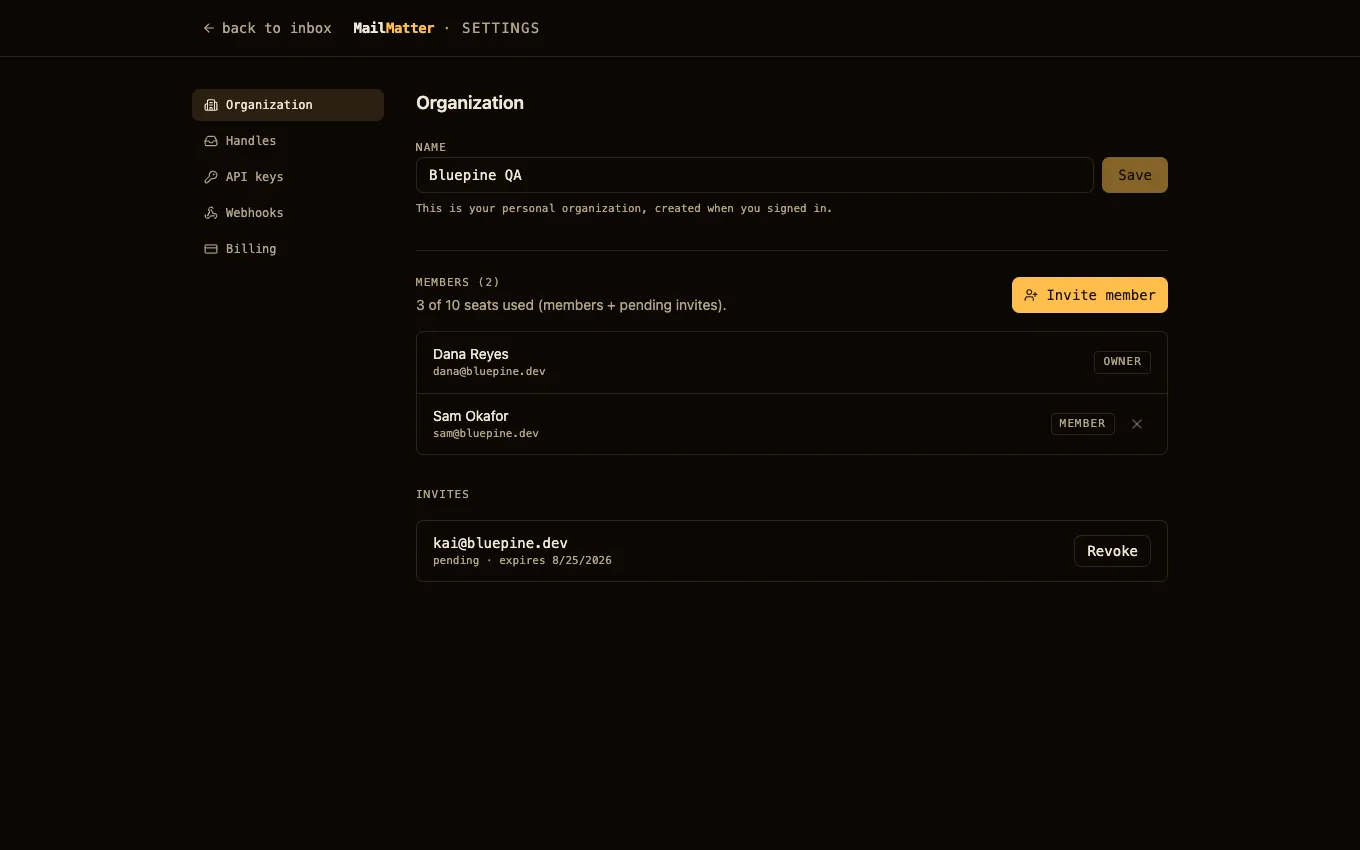
- The link expires after 7 days and can be revoked from the same screen while pending.
- It is bound to the invited address: only someone signing in with that email can accept it.
- Seats are counted as active members plus pending invites, capped by the plan.
2. Share the link out-of-band
Slack, a ticket, however you like — MailMatter deliberately doesn’t email invitations (an email-testing tool sending onboarding mail to a real address would be a strange look).
3. The teammate accepts
Opening the link prompts them to sign in with Google or GitHub using the invited address; they land in the org as a member. Users who belong to more than one org get an org switcher in the top bar, and their session remembers which org it’s looking at.
Verify
The new member appears in Settings → Organization with the member
role, and the pending invite is gone. If the link is rejected: it may have
expired, been revoked, or been opened with a different email than it was
issued to.
Roles
| Capability | Owner | Member |
|---|---|---|
| Read mail, manage scenarios | ✓ | ✓ |
| Create / label / release inboxes | ✓ | ✓ |
| API keys | ✓ | — |
| Webhooks | ✓ | — |
| Invites and member removal | ✓ | — |
| Billing | ✓ | — |
Next steps
- Manage handles — what those shared handles can do.
- Deliver mail to a webhook — pipe the shared inbox into the team’s Slack or Discord channel.