Signed-in handle management lives in Settings → Handles at mailmatter.dev/app — creating, labelling, emptying, and releasing all happen there. Handle counts per plan are on the pricing page.
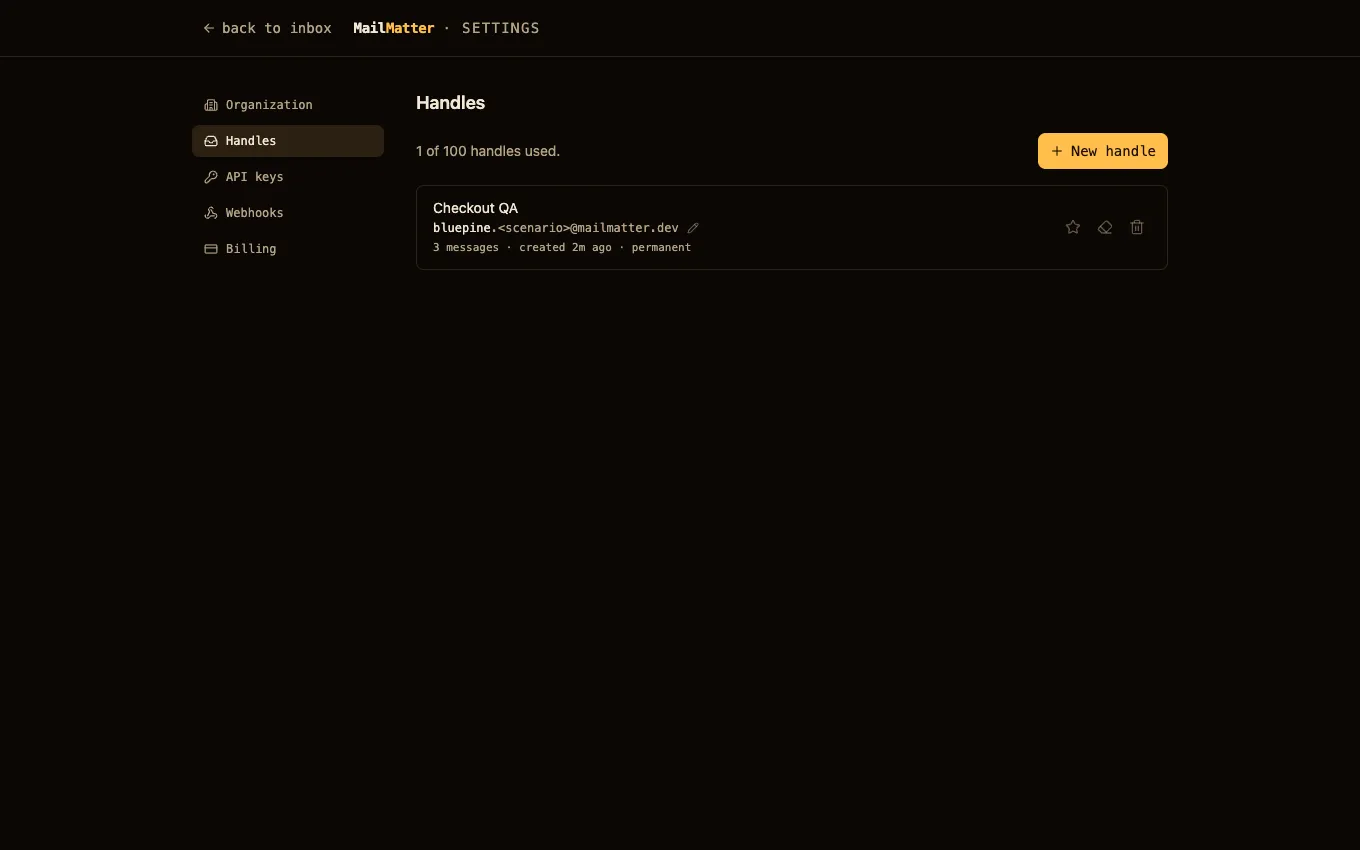
Create a handle
Two kinds, one namespace:
- Generated (
qa-d7aafa0b9c73) — available on every plan. Random, safe, and fine when the address is minted fresh each run. - Named (
bluepine) — a paid feature. Short and stable enough to hardcode in a test suite. Names are 3–32 characters of lowercase letters, digits, and hyphens (no dots — the first dot in an address is what splits handle from scenario), can’t start with the reservedqa-prefix, and can’t be an infrastructure-impersonating word likeadminorpostmaster.
Handles share one global namespace across all customers — bluepine taken
is taken for everyone. Pick a name you’ll keep.
Label a handle
A label is a display nickname (“Checkout QA”) shown in the dashboard. It never appears in the address, costs nothing, and can be changed or cleared at any time.
Empty a handle
The eraser action purges every message under a handle but keeps the handle —
the address keeps working. Use it for cleanup between runs when you don’t
want to give the handle up. (Per-scenario cleanup is
DELETE /api/mailbox/{handle}.{scenario}.)
Release a handle
Releasing deletes the handle and every message under it. It’s the one irreversible action in the dashboard: there’s no undo, and mail addressed to the name afterwards is discarded.
Because the namespace is shared, releasing is governed by a few fairness rules rather than being instant and unlimited — a name you just started using can’t be handed straight back, a released name doesn’t return to the pool immediately, and handle changes are rate-limited per org. You don’t need to track any of that: the dashboard and the API tell you when an action isn’t available yet and when to retry.
If you only want the data gone, empty the handle instead — that’s always available.
Claim your anonymous inbox
Signing in offers to claim the anonymous qa-* inbox from your browser
into your org: the handle and all mail stay, addresses already pasted into
forms keep working, and the anonymous secret is retired in favor of your
session and API keys. If the adopted handle is still a random qa-*, the
dashboard offers to create a named inbox alongside it and make that the
default — the old handle keeps working.
If you lose an anonymous inbox
Anonymous access lives in an httpOnly cookie. Before the cookie is lost
(new browser, cleared storage), grab the Recovery link in the dashboard —
opening it restores the same inbox anywhere. Anonymous inboxes are temporary
by design and are purged once they go unused; claim one into an account if
you need it to last.
Next steps
- Handles, scenarios, and secrets — the model behind all of this.
- REST API — reading mail from those handles with a token.