Mint an anonymous inbox, send it an email, and read the message over the API. No signup, no configuration.
1. Mint an inbox
curl -s -X POST https://mailmatter.dev/api/namespace{ "handle": "qa-d7aafa0b9c73", "secret": "<48-hex-secret>" }Save both values. The handle is your public address prefix; the secret is
the only way to read the inbox — it is never shown again.
2. Send it an email
From any mail account, send a message to:
<handle>.signup@mailmatter.devThe signup part is a scenario — a sub-inbox that exists the moment you
address it. Any label works; there is no create step.
3. Read the message
curl -s https://mailmatter.dev/api/mailbox/<handle>.signup/latest \
  -H "Authorization: Bearer <secret>"
You should see
{
  "handle": "<handle>",
  "scenario": "signup",
  "message": {
    "id": "<message-id>",
    "handle": "<handle>",
    "scenario": "signup",
    "delivered_to": "<handle>.signup@mailmatter.dev",
    "received_at": "<unix-ms>",
    "size": 412,
    "over_quota": false,
    "headers": [{ "key": "from", "value": "You <you@example.com>" }, "…"],
    "from": { "address": "you@example.com", "name": "You" },
    "subject": "hello mailmatter",
    "date": "<iso-date>",
    "text": "It works.\n",
    "html": null,
    "links": [],
    "attachments": []
  }
}
If message is null, the mail hasn’t landed yet — delivery from a consumer
mailbox usually takes a few seconds; run the command again.
The same inbox is readable in a browser at mailmatter.dev/app (the mint also set a cookie):
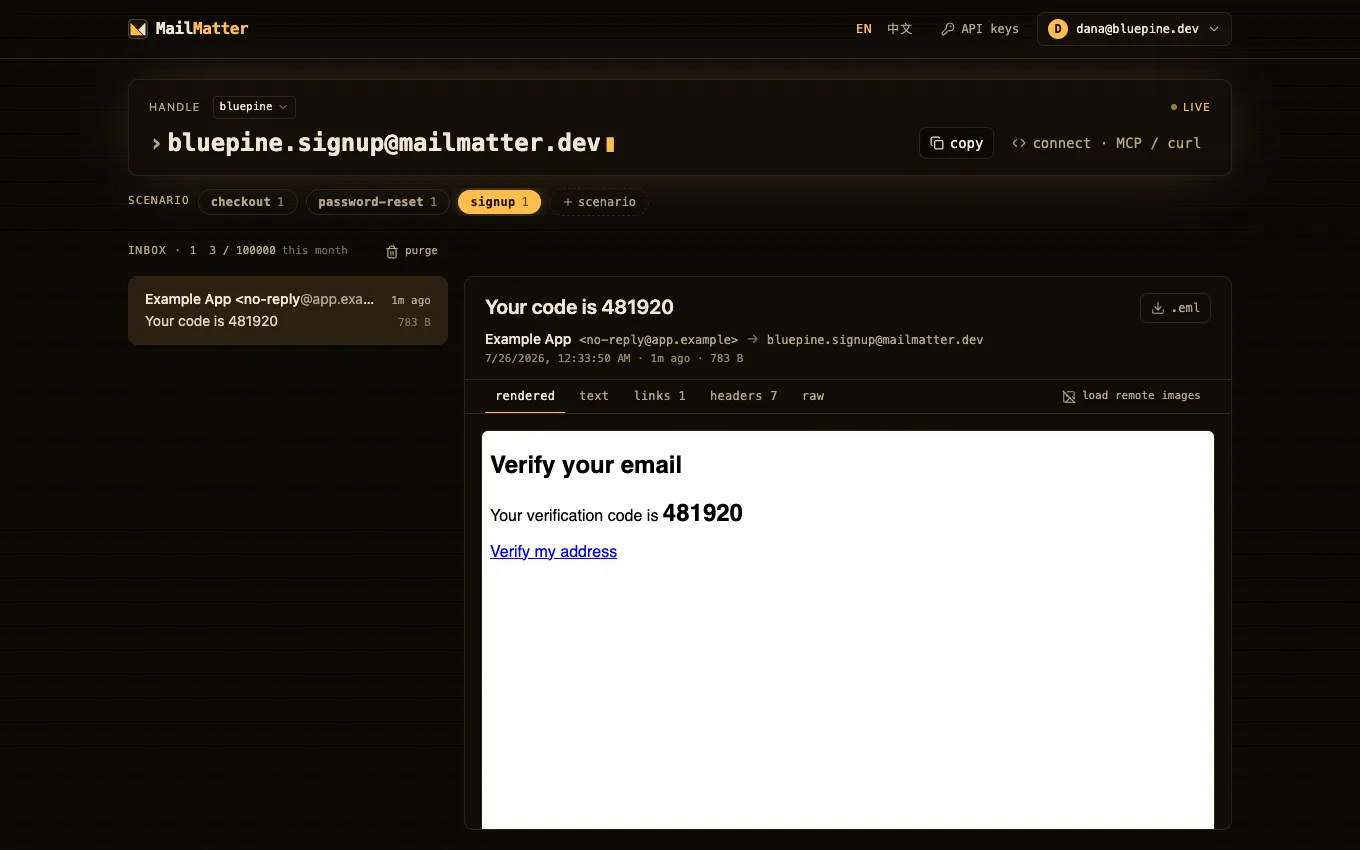
What just happened: addressing <handle>.signup created the scenario
implicitly, and the secret authorized the read. Anyone can send to the
address; only the secret can read it.
Next step
- Testing with MailMatter — swap the re-run for a single long-poll call your test suite or agent can block on.